Edit visually or in HTML
Work with a visual editor, HTML source, or split view. Import HTML and use formatting, image, link, and template tools.

A LITTLE MORE SELF-SERVICE. A LOT MORE POSSIBILITY.
Create your next marketing graphic. Publish your next digital magazine. Send your next newsletter. Track your next campaign. Four self-service tools, with support when you need it.
For marketers, small businesses, designers,
event marketers, and publishers.

FOUR PRODUCTS. MORE POSSIBILITIES.
Choose Design for everyday creative work, Flipbook for digital publications, Email for creating and sending email campaigns, and Links for campaign tracking and reporting. Each product has its own subscription.

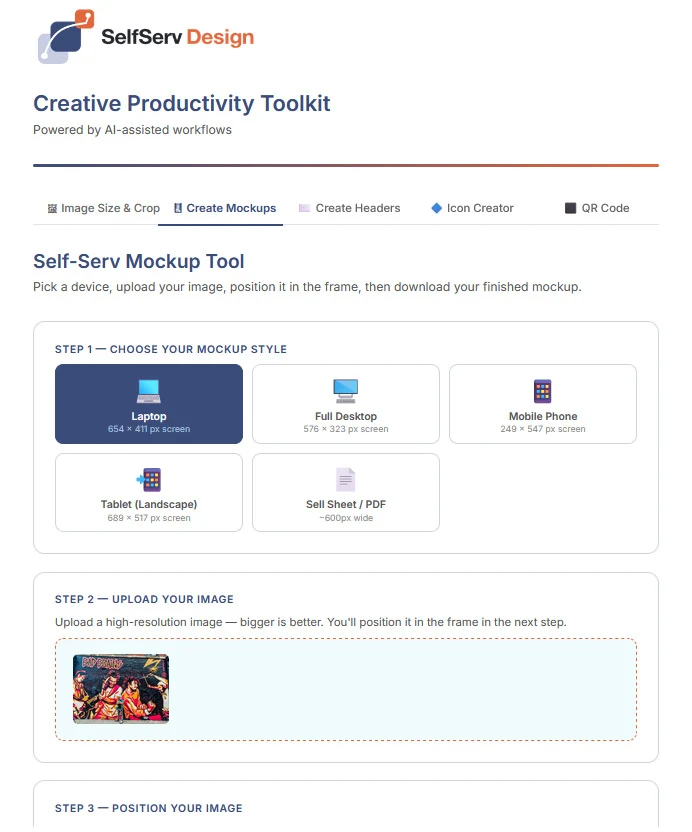
Resize an image. Put your work on a device. Build a header, icon, or QR code. Five focused tools for the assets your next campaign needs.
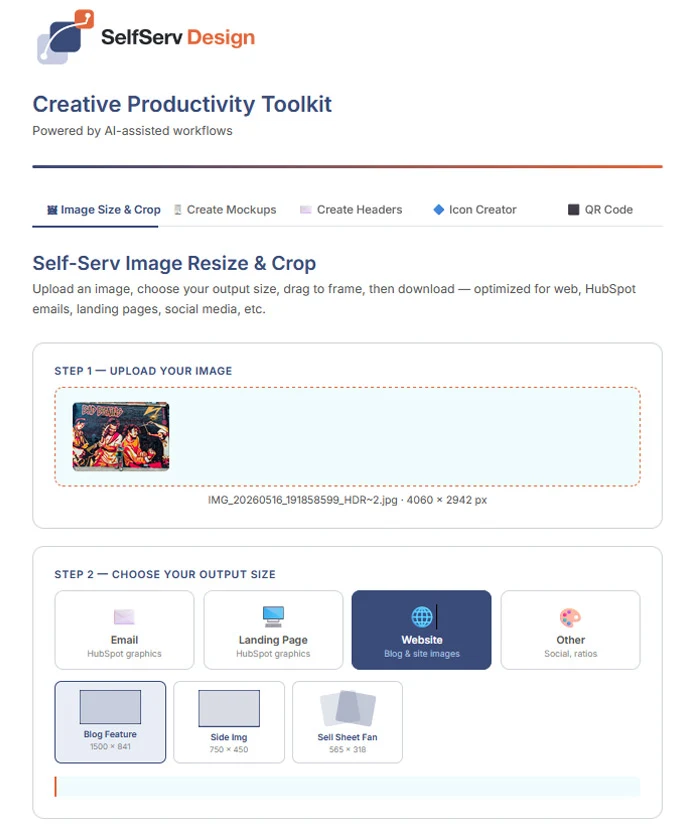
Five focused tools: image sizing and cropping, device mockups, email and landing-page headers, icons, and custom QR codes.
Yes. Use VIEW DEMO to explore the tools. Downloads and exports require an active live subscription.
The tools guide you through common tasks such as selecting a size, positioning an image and choosing colors.
Yes. The QR tool supports an optional logo. Always scan-test the final code before publishing or printing.
Contact us to activate your subscription or ask about a tool. Support is available at support@SelfServLabs.com.

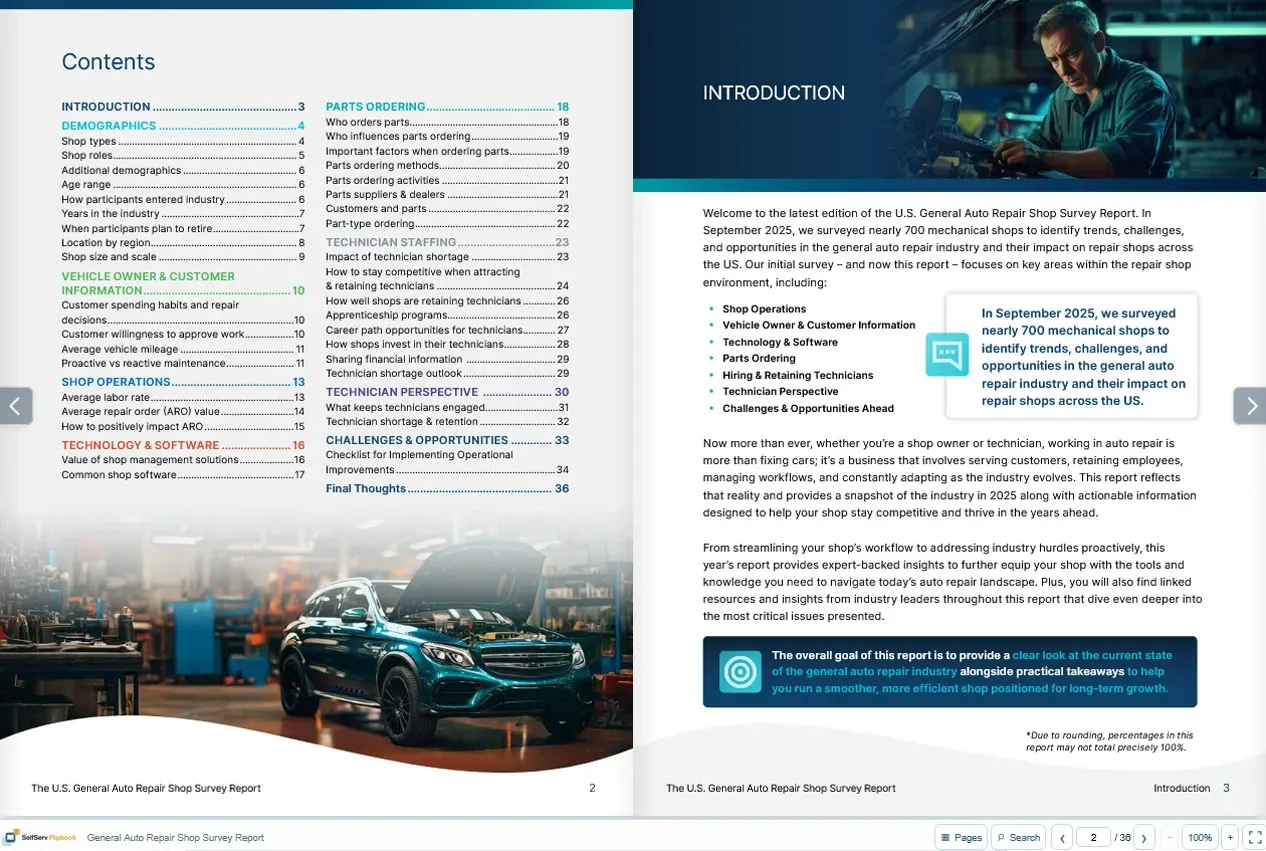
Turn PDFs into interactive digital magazines with editable hotspots, your own branding and a two-page viewing experience. Publish a standalone viewer and see which pages and links readers engage with.
Import multiple PDFs, reorder pages, and bring existing PDF links into the hotspot editor.
Add and edit clickable hotspots. Customize your publication with its own logo, favicon and background.
Export a self-contained viewer for your own hosting. Share your publication with a custom QR code.
Review magazine opens, reader sessions, page views and hotspot clicks. Search activity dates and export CSV or styled Excel reports.
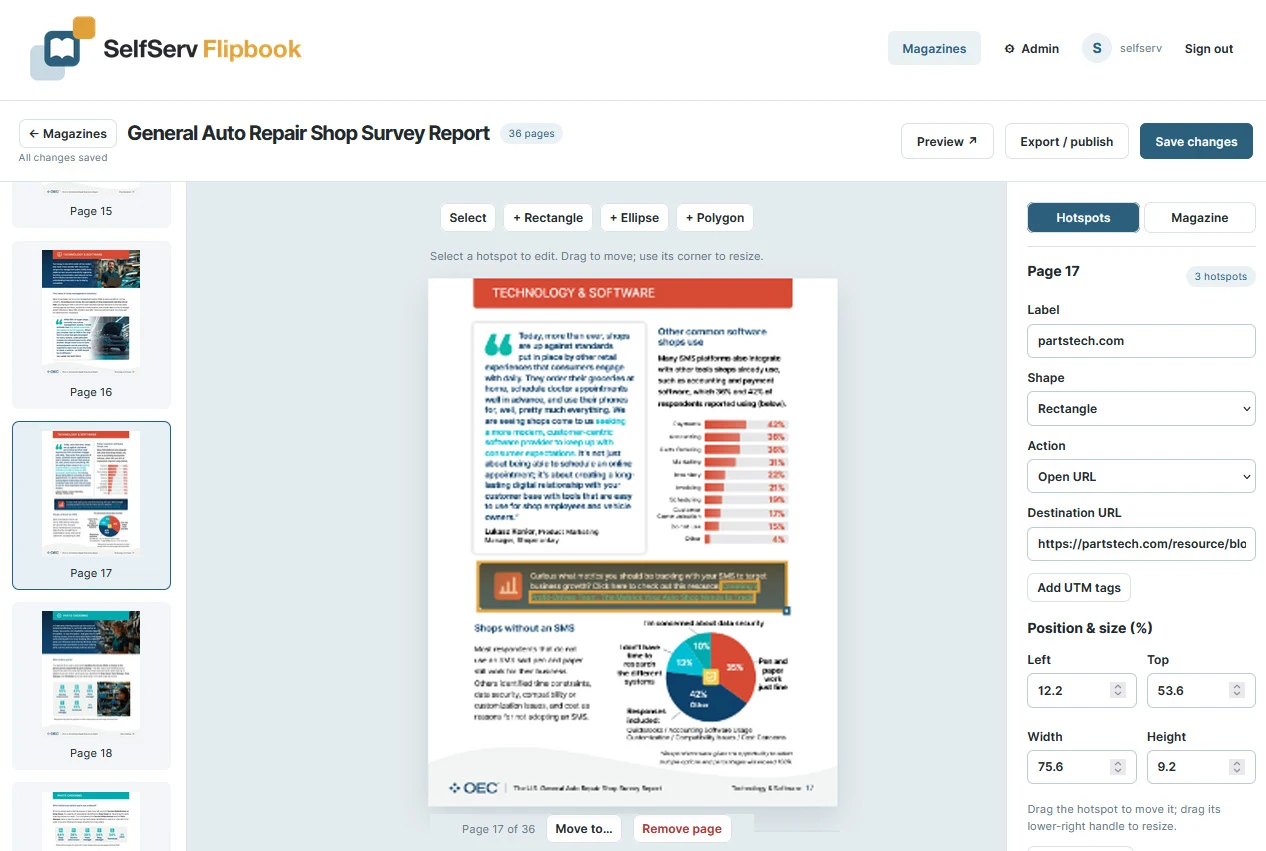
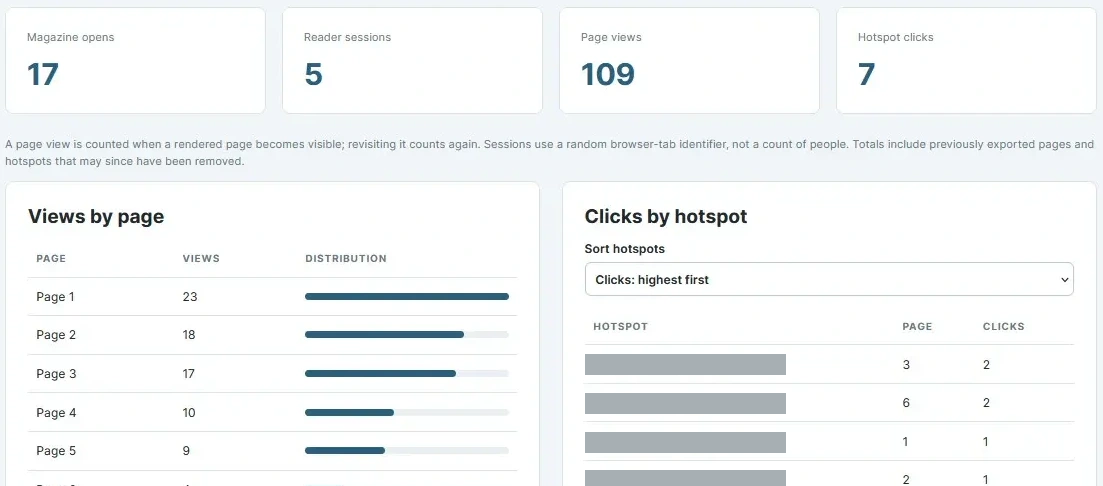
Your publications, your branding. Build and preview in the demo; publishing exports are available with an active subscription.
Create a digital publication with a cover, two-page spreads, zoom and page navigation. Import multiple PDFs and reorder pages.
Yes. Add editable hotspots and bring existing PDF links into the hotspot editor, then adjust their position and destination.
Yes. Customize the publication logo, favicon and background, then export a self-contained viewer for your hosting with an active subscription.
Review magazine opens, reader sessions, page views and hotspot clicks. Filter activity dates and download CSV or styled Excel reports.
Explore the builder and available sample publications. Publishing exports require an active live subscription.

Create newsletters, choose your audience, and review campaign performance in one workspace. SelfServ Email brings the editing and reporting tools. You bring your own SMTP service.
Customer-supplied SMTP required. SMTP service and delivery charges are separate.
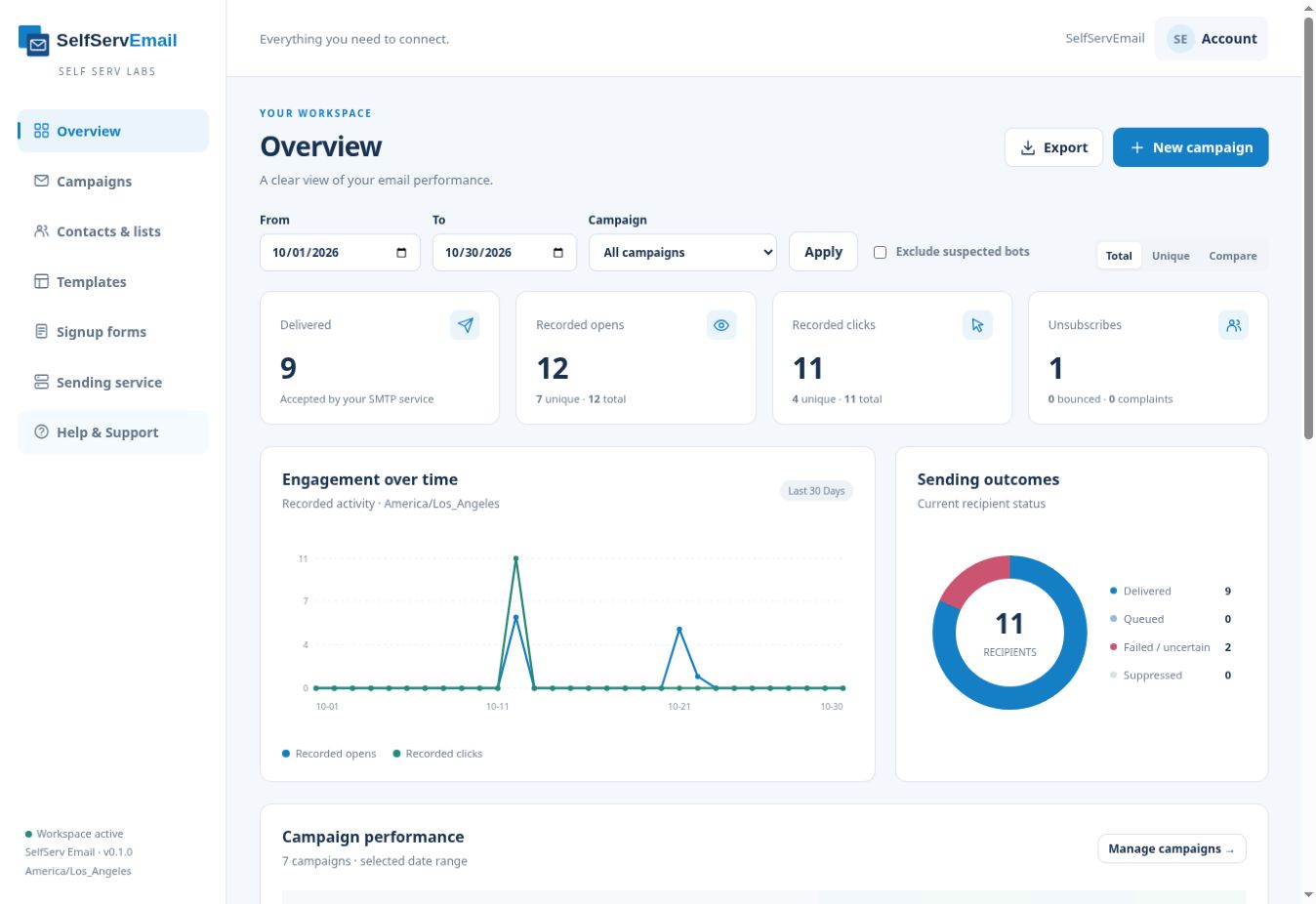
Work with a visual editor, HTML source, or split view. Import HTML and use formatting, image, link, and template tools.
Choose your recipient lists and sending servers. Send immediately or schedule a campaign, with configurable sending limits.
Review recorded opens, clicks, unsubscribes, and sending outcomes. Switch between total and unique activity or compare them.

Recorded opens may include privacy proxies and automated image requests. Delivered means accepted by your SMTP service, not confirmed inbox placement.
Access to SelfServ Email’s campaign workspace, visual and HTML editing, scheduling, and performance reporting. You supply your own SMTP service and pay any provider or delivery charges separately.
No. Connect your own SMTP service to send campaigns. Sending availability and capacity depend on your provider and configured limits.
Yes. Import HTML and work in HTML, visual, or split view. The editor includes formatting, image, and link controls.
Yes. Open the SelfServ Email demo to explore before subscribing.

You add your links. You generate your reports. SelfServ Links brings custom short URLs, tracking pixels and campaign activity into one self-service workspace—with support when you need it.
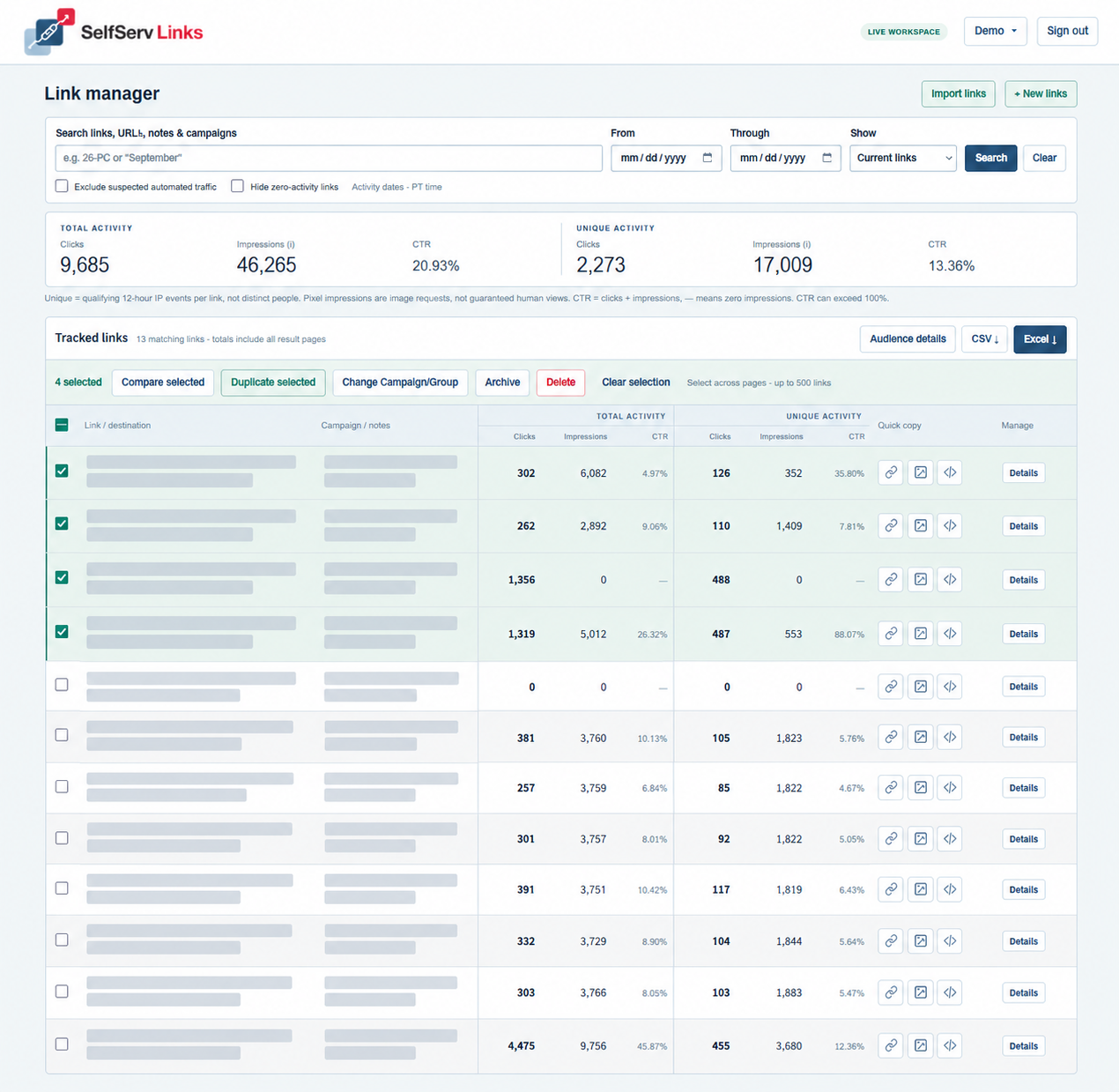
Choose your short slug, add titles and notes, and organize links with Campaign/Group dropdowns. Create several together or import CSV and Excel files.
Update destinations without losing history. Keep old slug aliases working. Duplicate links with fresh analytics or compare checked links and refresh results.
Review total and unique clicks, pixel impressions and CTR. Search by campaign and PT activity dates, filter suspected automated traffic, and export CSV or styled Excel.
Copy the short URL, pixel URL or full image embed. Manually place the hosted pixel in an email or webpage that supports external images.
Pixel impressions count recorded image requests, not guaranteed human views. Unique counts are qualifying 12-hour IP events per link, not distinct people. CTR can exceed 100%. Demo: five links, each working for 24 hours; exports disabled.
Self-service link creation, tracking pixels, monitoring and reporting, with support as needed. The plan includes 200 new links per calendar month in PT, plus 10 extra slots. You see a warning at 200; new creation pauses at 210. Contact support for an expanded plan.
A qualifying event from the same IP for the same link and metric can count again after 12 hours. Repeat requests still count in totals. These are not distinct people across the entire reporting period.
No. Pixel impressions count recorded image requests. Image blocking, caching, privacy proxies and bots affect results. Place the supplied pixel manually in your email or webpage; a short link alone does not generate a pixel impression.
Yes. Edit destinations, titles, notes and campaigns without losing analytics. Renaming keeps old short URLs working under the same link. Duplicating creates a new link and pixel with fresh analytics.
Yes. Import CSV or Excel, organize Campaign/Group options, compare selected links, and export CSV or styled Excel with total/unique activity and CTR. Search results and activity dates determine the report.
Only when the deleted link was created in the current month. Older deletions do not increase this month’s allowance. Deleted links stop redirecting and tracking; their retained statistics are no longer accessible to the customer.
Each demo workspace can create five links, each expiring 24 hours after creation. Links and pixels work during that period. Exports are disabled; deleting a demo link does not create another slot.
CHOOSE YOUR TOOLKIT
Try the demos, choose the tool that fits, and order online. Support is available when you need it.
$20 /month
One suite. Five everyday creative tools.
$50 /month
Bring your publications to the screen.
$75 /month
Your campaigns. Your SMTP service.
SMTP and delivery costs are separate.
ORDER NOWVIEW DEMO$500 /month
You add your links. You generate your reports.
Warning at 200; creation pauses at 210. Deleting a current-month link returns its slot. Existing tracking and reports continue at the limit. Plan details ↗
ORDER NOWVIEW DEMOAll four tools. One discounted monthly price.
$600 /month
ORDER NOWIncludes all four tools. Customer-supplied SMTP and email delivery costs are separate.
HAVE A QUESTION?
Ask a question, request demo access, or tell us which subscription you’re interested in.
support@selfservlabs.comInterested in ALL tools? Ask about the SelfServ Suite.
All 4 tools at a discount price.